

If you are still logging into wp-admin to manually paste LLM outputs into the WordPress editor, you are losing the content velocity war. The harsh reality of 2026 is that manual drafting is a bottleneck, but relying on standard AI plugins is worse. Most off-the-shelf wordpress ai automation plugins are nothing more than heavy API wrappers that bloat your wp_options table, conflict with your caching layers, and completely break the visual layouts of page builders like Divi.
Real automation does not happen inside the WordPress dashboard. It happens at the API layer.
To successfully automate wordpress publishing at an enterprise scale, you must stop treating WordPress as a monolithic application where you write, edit, and publish. Instead, you need to treat it strictly as a database. By routing your content pipelines through external orchestration tools like n8n and feeding the finalized JSON payloads directly into WordPress, you effectively mimic a headless cms ai architecture without having to rebuild your entire frontend.
The Problem with Divi and Standard REST APIs
Connecting an AI agent to WordPress is relatively simple if you are using the default Gutenberg block editor. You push an HTML string to the standard /wp-json/wp/v2/posts endpoint, and it renders.
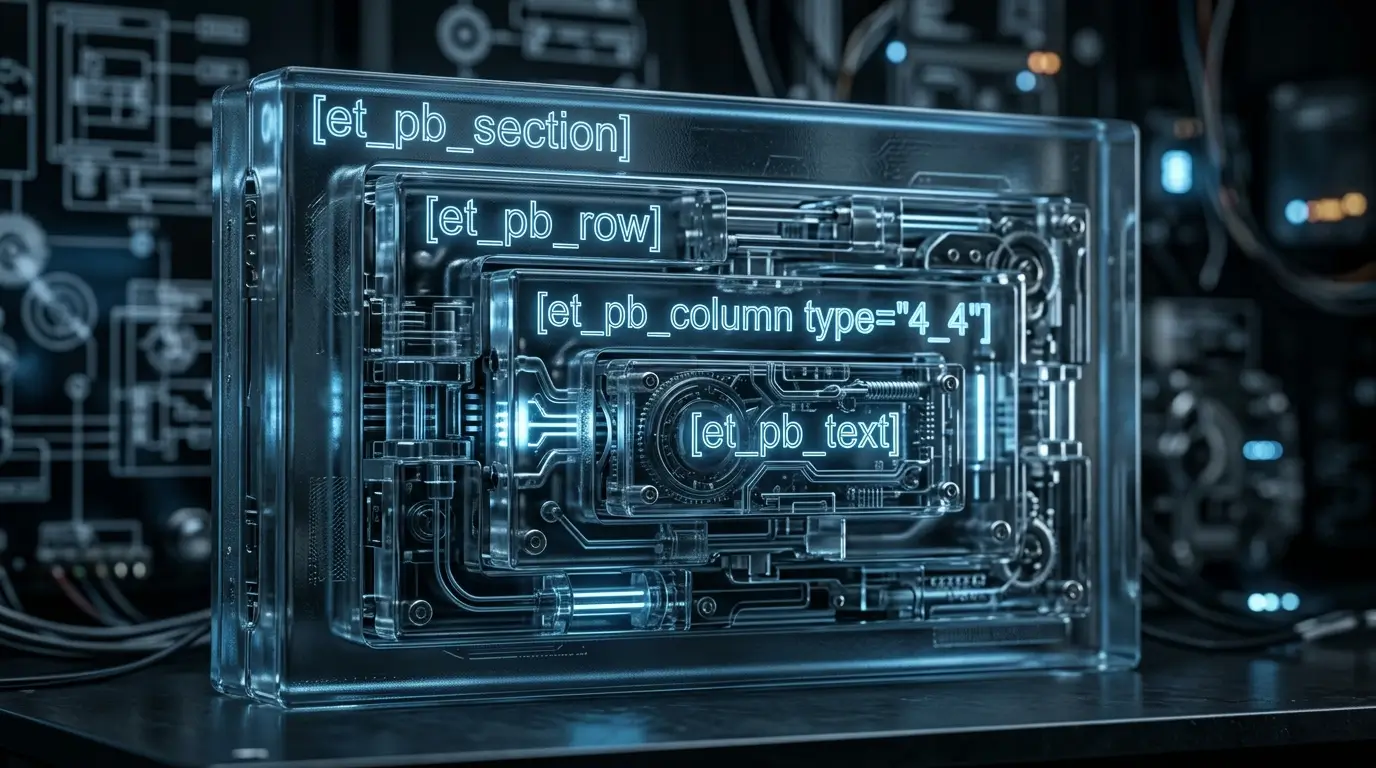
Divi, however, is a different beast. Because Divi relies on a complex, nested shortcode structure (e.g., [et_pb_section], [et_pb_row], [et_pb_text]), standard bulk publishing tools will fail. If you push raw HTML to a Divi-enabled site via the standard API, the content will sit outside the builder’s CSS wrapper, breaking your entire site layout and ruining your Largest Contentful Paint (LCP) scores.
.
Expert Tip:
Never use your primary administrator credentials to authenticate external webhooks. Instead, generate a specific Application Password inside the WordPress user profile settings. Furthermore, if you are pushing heavily formatted Divi shortcodes via the REST API, you must disable the wpautop filter on REST requests for that specific endpoint, or WordPress will inject <p> and <br> tags directly into your Divi shortcode brackets, permanently breaking the layout rendering.
The Strategic Foundation: n8n as the Orchestration Layer
We are bypassing Zapier and Make.com for this workflow. When dealing with the massive token outputs of modern LLMs (especially when generating 2,500+ word technical guides), Zapier frequently times out, and Make’s operations become cost-prohibitive.
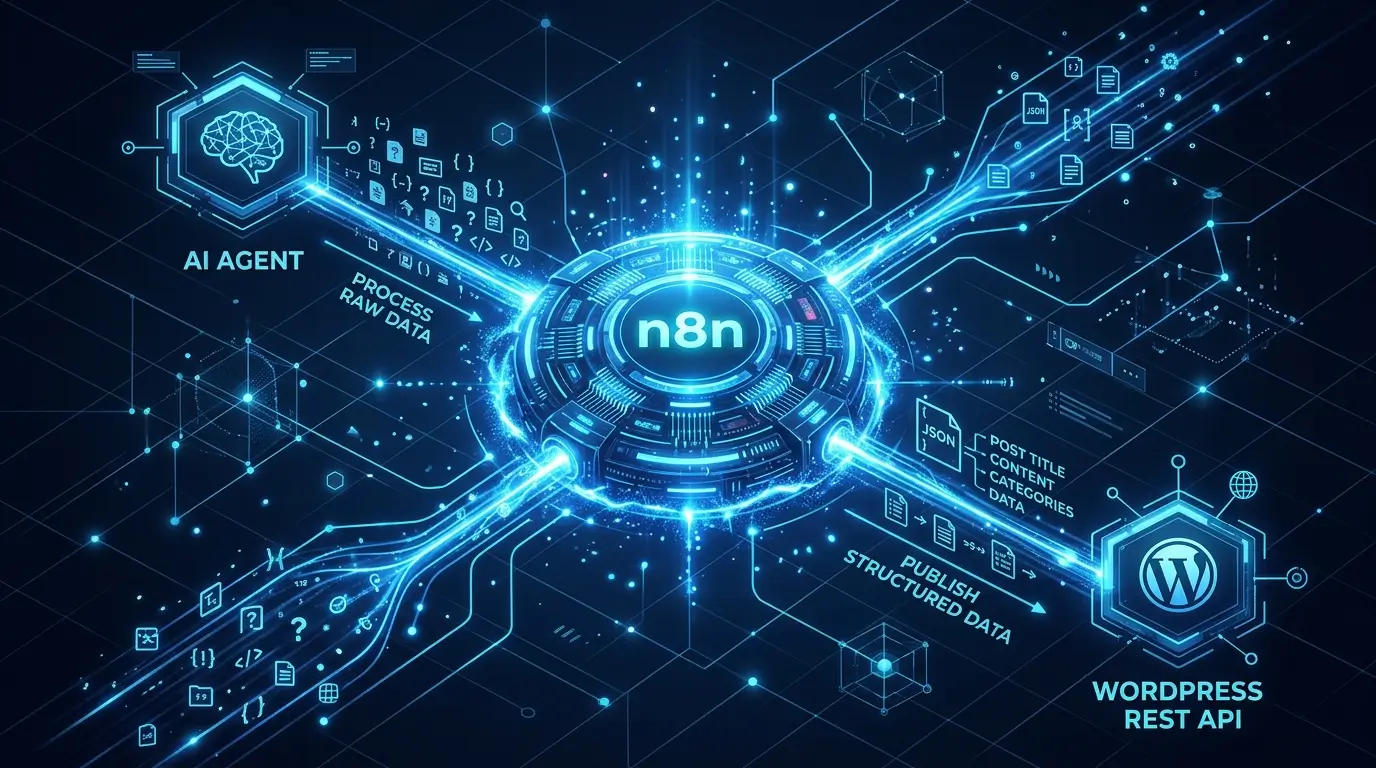
n8n allows for complex data iteration, advanced error handling, and the ability to parse nested JSON arrays reliably. In this architecture, n8n serves as the central brain. It receives the approved text from your AI agent, maps the H2s, H3s, and body paragraphs into a pre-defined Divi shortcode template, and executes an authenticated POST request to the WordPress REST API.
This shifts the computational load away from your web server and ensures your site speed remains unaffected by the automation process. You get the SEO benefits of high-frequency publishing without the database bloat of running the AI natively inside WordPress.
The Step-by-Step n8n Workflow for Divi Automation
To successfully automate wordpress publishing ai without destroying your frontend layout, we must construct a strict data pipeline. We are bypassing visual plugins entirely and building a three-node sequence inside n8n: Webhook Catch, Data Transformation, and the WordPress REST API POST Request.
This is the exact technical framework to inject AI-generated content directly into a Divi-enabled WordPress database.
Step 1: Engineering the LLM Output for Divi Shortcodes
The primary failure point of wordpress is automation in page builders is the structural mismatch. If your LLM outputs standard HTML (<h2>, <p>), Divi will render it in the default WordPress content container, completely ignoring your global theme builder templates.
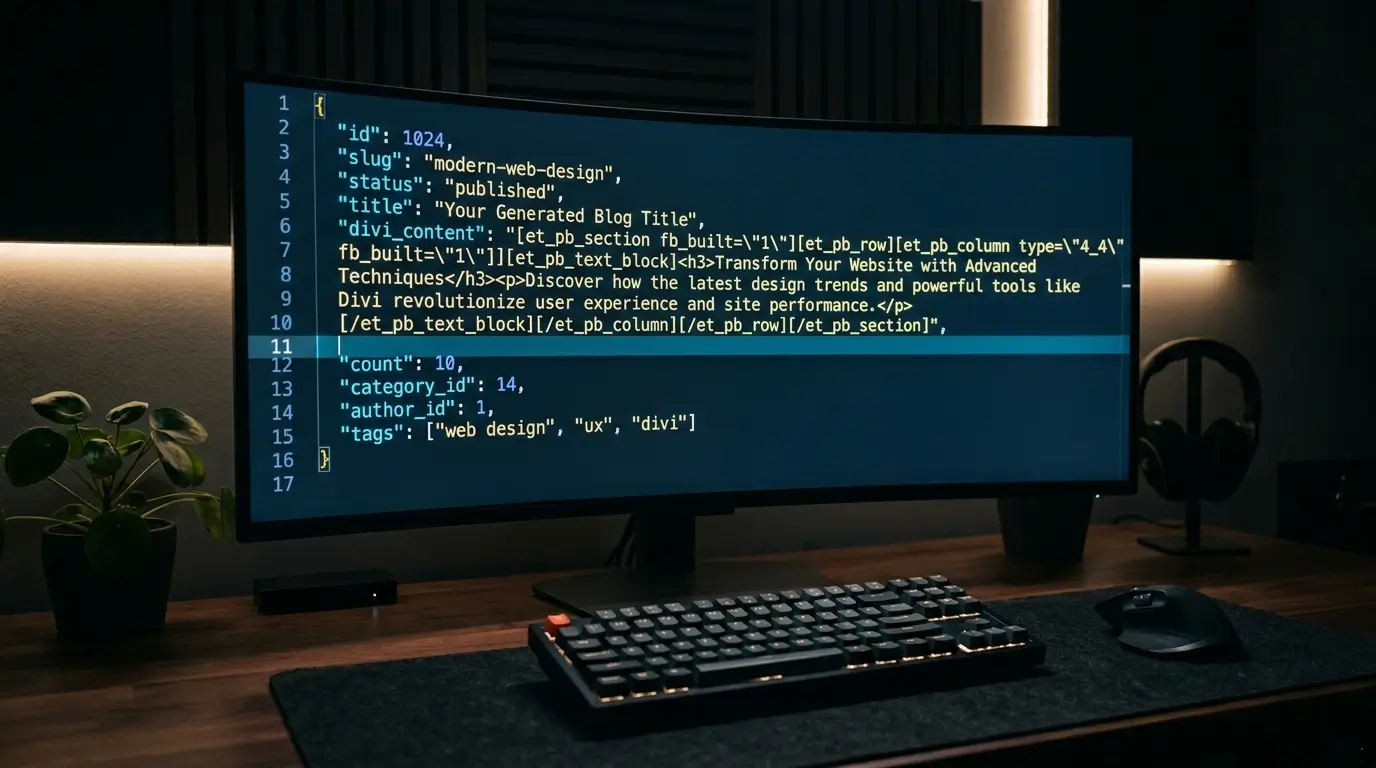
You must force the LLM to wrap its output in exact Divi shortcode syntax before the JSON payload hits n8n. In your prompt chain (whether you are using the OpenAI API or Anthropic), you must include strict system instructions regarding the formatting.
Your system prompt must include this directive:
“Do not output markdown or raw HTML. You must wrap the entire article in Divi shortcode structure. Wrap the full output in [et_pb_section] [et_pb_row] [et_pb_column type=”4_4″] [et_pb_text]. Place the generated HTML content inside the [et_pb_text] brackets. Close all brackets exactly.”
When the LLM obeys this constraint, WordPress receives the payload and registers it as a native Divi module, seamlessly adopting your site’s CSS and global fonts.
Step 2: Configuring the n8n Webhook Node
Your orchestration layer needs an entry point. In n8n, initiate your workflow by adding a Webhook node.
- Set the HTTP Method to POST.
- Copy the Test URL.
- Configure your AI agent (or the preceding node in your automation chain) to send its finalized JSON payload to this exact URL.
Your incoming JSON should look similar to this:
JSON
{
“title”: “Your Generated Blog Title”,
“divi_content”: “[et_pb_section]…[/et_pb_section]”,
“category_id”: 14
}
Expert Tip:
When parsing complex LLM outputs containing nested brackets and quotation marks (like Divi shortcodes), standard JSON parsers frequently break. Inside n8n, use the Code node immediately after your Webhook to run a quick JavaScript .replace() function. Strip out trailing backslashes and escape double quotes before passing the data to the HTTP Request node. This prevents the WordPress REST API from rejecting the payload due to malformed JSON.
Step 3: The WordPress HTTP Request Node

Do not use the pre-built “WordPress node” in n8n. It lacks the granular control needed for advanced custom fields and specific taxonomy routing. Instead, use the core n8n HTTP Request node to interact directly with your server.
Configure the HTTP Node as follows:
- Method: POST
- URL: https://yourdomain.com/wp-json/wp/v2/posts
- Authentication: Select Basic Auth. Use your WordPress admin username and the Application Password you generated in your user profile.
- Send Body: Toggle to true and select JSON.
Map your incoming webhook data to the WordPress API parameters:
- title: Map to your webhook’s title variable.
- content: Map to your webhook’s divi_content variable.
- status: Hardcode this to draft. (Never push automated content directly to publish without a manual human review phase to check the rendering).
- categories: Map to an array containing your target category IDs.
From the Coach’s Perspective:
Running this n8n sequence is like executing a flawless pick-and-roll against a zone defense. You draw the heavy processing out to the perimeter (n8n) so you can hit the cutter (WordPress) for an easy, uncontested finish.
By executing this specific POST request, you bypass the visual editor entirely. The Divi shortcodes are injected directly into the post_content column of your SQL database. When a user loads the page, Divi parses the shortcode natively, resulting in a perfectly styled, high-performance web page generated entirely by an autonomous system.
The Human-in-the-Loop Publishing Protocol

We have engineered a system that formats complex shortcodes and directly injects them into the database, but technical capability should not override strategic restraint. Setting your automated pipelines to directly publish to a live production environment is a critical operational error.
The purpose of bulk publishing tools is to eliminate the tedious mechanics of staging, formatting, and copying text. It is not to replace editorial oversight. If you remove human friction entirely, you risk pushing hallucinated data or malformed CSS straight to your audience, which will immediately trigger high bounce rates and signal poor quality to search crawlers.
When your n8n HTTP Request node executes, it must be hardcoded to set the WordPress post status to draft. This initiates the “Human-in-the-Loop” QA phase. Your role shifts from a data entry clerk to an Executive Editor. You log into WordPress, open the Divi Visual Builder, and immediately see the fully formatted article. You are now only responsible for the final 10%: injecting contrarian viewpoints, adjusting the visual flow, and verifying the technical accuracy of the claims before hitting “Publish.”
From the Coach’s Perspective:
Setting your automation to auto-publish without review is like throwing a blind full-court pass in the fourth quarter. You always need a player stationed in the paint to catch the ball, read the defense, and ensure the play actually results in points.
The True Value of API-Driven Content
By treating WordPress as a database rather than a monolithic workspace, you scale your content velocity without breaking your technical infrastructure. You bypass the inherent limitations of standard plugins, avoid layout collapses in page builders, and protect your server’s compute resources.
When you automate wordpress publishing ai at the API layer, you are effectively running a headless cms ai operation. The LLM acts as your backend content generator, n8n acts as your middleware routing logic, and WordPress serves solely as the frontend presentation layer.
Expert Tip:
If your Divi layouts rely on Advanced Custom Fields (ACF) for dynamic schema markup or author data, you must map your JSON payload to the specific acf object array within your n8n HTTP Request node. Failing to explicitly define this object will cause the WordPress REST API to silently drop the custom data during the POST request, stripping your post of its critical entity authority signals.
You no longer have to choose between high-volume output and high-fidelity design. By mastering the orchestration between LLMs, webhooks, and the REST API, you possess the architecture to dominate search engine visibility in 2026. Keep your pipelines clean, enforce strict JSON formatting, and always let the human make the final call.
Frequently Asked Questions
Does forcing an LLM to write in Divi shortcodes increase API costs?
Yes, marginally. Shortcodes like [et_pb_text] consume additional tokens. However, the fractional increase in your OpenAI or Anthropic API bill is entirely offset by the hours of manual formatting labor saved. It is a necessary infrastructure cost for high-fidelity automation.
Why shouldn’t I just use a dedicated AI WordPress plugin?
Most standard wordpress ai automation plugins execute their PHP scripts directly on your server. If you are generating long-form, highly technical content at scale, this will spike your CPU usage, drag down your Time to First Byte (TTFB), and create database bloat. Routing through an external orchestration tool like n8n protects your server environment.
Will Google penalize automated Divi content?
Google’s algorithms do not penalize content based on how it was uploaded to your database; they penalize a lack of “Information Gain” and poor user experience. According to Google’s official Search Central spam policies, programmatic content is only penalized if it is scraped, scraped-and-spun, or provides zero original value. If your workflow includes unique data extraction and a strict human editorial review, the automation mechanism itself is completely compliant.
Can this workflow handle featured images and media uploads?
Yes, but it requires a secondary sequence in n8n. You must first send a POST request to the WordPress /wp-json/wp/v2/media endpoint with the image file to generate an Attachment ID. You then pass that specific ID into the featured_media parameter of your final post creation request.